DVA Prior Financial Approval Items
DVA may sometimes approve charges above those listed in the Repatriation Medical Fee Schedule if there are exceptional circumstances justifying the payment of a higher fee for a particular patient. They will issue the provider (e.g the surgeon) with a letter stating who the approval is for, the item number to be used (eg MT04 or MT06) and the approved fee.
To claim this service on an electronic DVA claim, first set the Fee Calculation to "FIXED FEE" and enter the approved amount. Then enter the approved MT0x item number in place of the usual items. It should be the only item on the invoice. You will get an error if you forget this step.
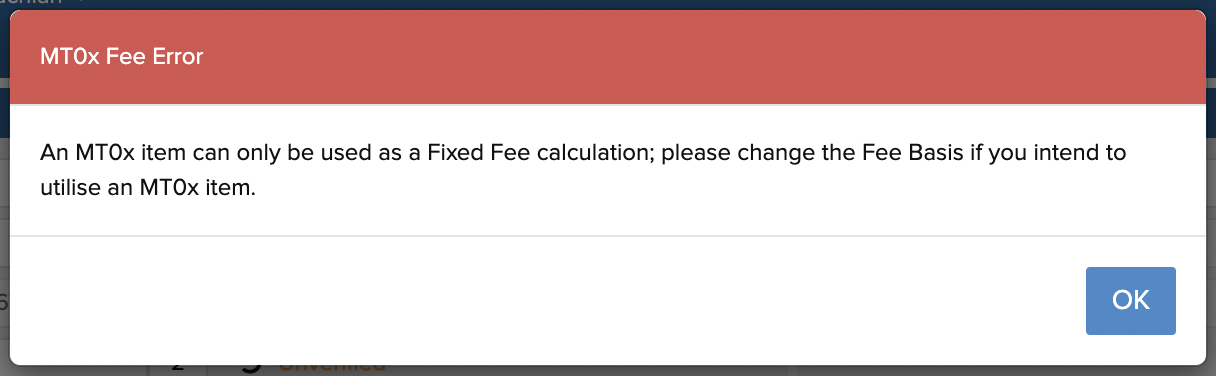
If you are a surgical assistant, you will need to manually calculate one fifth of the surgeon's fee and enter that as the fixed fee. Note that CE will not calculate an assist item (513xx).
Submit the claim in the usual way to DVA.
Related Articles
DVA Claims
In Cutting Edge you can submit DVA claims electronically, much like any other claim. Simply create a new invoice, enter the patient name and DOB then select DVA as the fund. In most cases CE will look up the Veteran's File Number for you, but if not ...
Creating epidural items
Epidural items can be sent with or without other items on the invoice. Cutting Edge prompts you for duration in minutes when entering long epidural items(18219/18227) to automatically calculate the correct fee and set the Service Text on the Extra ...
Refunding DVA claims
It is possible to refund DVA claims which have been sent in error or for other reasons. Go to: Services Australia Forms https://www.servicesaustralia.gov.au/mo057 Complete Form: Voluntary Acknowledgement of incorrect payments. Complete a separate ...
How to create Custom Items/User Items
The User Items screen allows you to create custom items to add to your invoice, such as a "Thank you for your payment" or "This invoice has been submitted to Medicare for rebate processing" etc. To add a new User Item, go to the Databases/User Items ...
Order for Anaesthetic Items
The correct order for anaesthetic claims is as follows: Pre-op consultation item (17610 to 17690) Anaesthetic base item (20100-21997 or 22900–22905 if you're the anaesthetist, 25200 or 25205 if you’re the assistant anaesthetist, 22060 if you’re the ...